
I have kinda bad RSI, and the RSI is far more pronounced for clicking than it is for typing (and even more pronounced than that for heavy scrollwheel use).
I wonder if I could alleviate the RSI any if I could somehow find a mouse that lets me click with my thumb.
 38
38
 0
0
 0
0



@mcc Have you looked into a trackball? That was my mom's goto with her RSI and it worked wonders. Logitech used to have some amazing ones.
1
1
0
@thegpfury @RogerBW @tomasino Trackball is moving in the wrong direction. Now the problematic muscle I was previously using for clicks and scrollwheels is being used to *move* the mouse, making the problem worse.
0
0
0


Roger BW 😷
RogerBW@discordian.social@mcc I've seen trackballs with thumb buttons. (You may not get on with trackballs at all, but at least it's a different set of movements.)
0
0
0

D. Olifant Still Won't Shut Up
oli@olifant.social
@mcc Where do you stand with trackpads? You can techically click with any finger on those. I migrated to that on the Mac years ago, partly so that when I was in laptop mode I'd already be familiar, but I found it did a wonder on my own carpal tunnel issues.
0
0
0

lioness (vacant)
lioness@plush.city@mcc a vertical mouse! I found those helpful for my own (non-RSI) finger joint issues. Acer makes a good one with two thumb buttonss.
0
0
0

Alex Zandra
zandra@mastodon.social@mcc does your mouse have thumb buttons by any chance? I'm sure a lot of those could be reconfigured to act as a click
1
0
0
@zandra no, I think I'd have to go looking for one.
One thing I'm not sure about is how the scroll wheel and right click would work in this configuration. If I could get kinda a scroll joystick, or a switch, that would work, but I don't think such a thing exists in the wild.
1
0
0

@mcc not sure about other os’s, but I’m pretty sure you could remap the horizontal scroll wheel and thumb buttons to be the normal scroll wheel and buttons on something like an mx master under Linux, that would be fully thumb operated mouse control
1
1
0
@syn I'm still trying to work out how to remap the trackpoint on my Thinkpad to issue scroll events instead of mouse events.
2
0
0

@mcc if so you should be able to hold the middle button and the pointer becomes a scroll button
1
1
0
Alex Zandra
zandra@mastodon.social@mcc oh I know a few that work kinda like that! there are scroll wheels that are very free-rolling, and the mouse I use has a few buttons near it - and they can all be reconfigured to be whatever you need them to be
I can follow up in DMs if you'd like more info, I'm sure there's a way to make your specific situation work ^^
0
0
0

gkrnours
gkrnours@mastodon.gamedev.place@mcc a few people suggested a trackball and I second that. I use a ploopy adept at work, I like it and left click in on thumb. Right click too but I have to move my hand to reach it.
If you have a keyboard with a qmk firmware, you can set a key or combo to click
0
0
0

open "hource" software
gutmunchies@dragon.stylei know this isn't what you are asking, but i found that switching to a vertical mouse did noticeably alleviate the clicking strain. the thing is you want your hand to be as close as possible to true vertical, and most ergo mice do not go nearly far enough.
evoluent sells the best ones i could find when i bought mine, and they come in multiple sizes (important for me because i don't meet ansi standard human being conformation standards apparently) but they are kind of overpriced. one potential plus is that they have models with two thumb buttons you could remap to left and right click.
1
0
0

Anne
anne@precise.space@mcc I love my trackball from ploopy & they have a mouse too with side buttons (https://ploopy.co/mouse/). I also click a lot of the time by using a function key on my fancy keyboard (palm key + F on my keyboardio model 100, but I would imagine any qmk keyboard or macro pad could be mapped for that?)
0
0
0

Graham Sutherland / Polynomial
gsuberland@chaos.social@mcc don't go for a Logitech MX Master 3S or prior if you want to use it like this; the thumb button has a widely known mechanical fault where it fails way too early.
the MX Master 4 is much better (they redesigned the thumb button). that said I have absolutely no idea what the situation is for running it on anything but Windows or macOS, since it uses Logitech Options+.
1
0
0
@gsuberland i have basically stopped buying logitech projects completely since the advent of options+. i usually don't even keep it installed on my windows machine >_>
1
0
0

Rich Waldo
waldo@fediscience.org@mcc my coworker with bad RSI swears by this https://www.penguinmouse.com/ I realize its not thumb scrolling/clicking as you requested but it does do scrolling with different movements
1
0
0
open "hource" software
gutmunchies@dragon.styleah, and something else i appreciate about evoluent's mice is that the scroll wheel and middle click are completely separate. that might be less important to you, but it's a killer feature for me
1
0
0
@gutmunchies i appreciate that.
i wish apps more consistently supported the scrollwheel-click-to-scroll verb.
1
0
0
1
0
0


Kat (post-Hallowe'en edition)
KatS@chaosfem.tw@mcc Depending on your budget, and the new/second-hand market, a tablet could be worth a look.
I have RSI in my forearms, especially the right one. I used a mouse left-handed for years to mitigate it, but that ceased to be practical. I remembered that I have an ancient Wacom tablet, tried that, and... problem gone.
It does bring problems of its own, like the desk-space it occupies, but for some reason using a stylus does not aggravate my RSI.
2
0
0
To the people recommending a trackball: That would mean using the exact muscles I'm trying to avoid exercising to *move* the mouse, something you do more often than clicking. That makes the problem worse
6
0
0

Ken Butler
nxskok@cupoftea.social@mcc I have an upright mouse (that you grip like shaking hands), and it has buttons on the thumb side
0
2
0
Ratsnake Games 🔞
ratsnakegames@mastodon.social@mcc sorry if you have already looked into it yourself, but a vertical mouse might help. It lets your wrist take a more natural position so the sinews can move freely.
A lot of those also have thumb buttons iirc.
1
0
0



@mcc Maybe something like leap/ultraleap motion sensor. I never quite got mine to work, but the rsi went away through reduced mouse use anyway.
0
0
0

Ben Hammond
benh@mastodon.scot@mcc
'foot pedal mouse' seems to be a thing.
No idea if that would suit
0
0
0
Ratsnake Games 🔞
ratsnakegames@mastodon.social@mcc if you just want a regular mouse with thumb buttons, I like my Logitech G203. It's cheap, precise, has two thumb buttons, and does not need any proprietary software.
0
0
0

Ian Turton
ianturton@mapstodon.space@mcc trackball is a slightly different movement for me but your millage will vary. Best solution for RSI is surgery I've done both wrists now . I use a trackball and/or vertical mouse to avoid future problems.
1
0
0
Graham Sutherland / Polynomial
gsuberland@chaos.social@mcc I put off moving to Options+ for a very long time but the Master 4 doesn't work with Options (classic) so I had to swap. I'm... honestly actually kinda pleasantly surprised? I expected it to be a mess, but they didn't make me make an account and it hasn't done anything annoying yet. and the side scroller wheel on the mouse works a *lot* better under Options+, it's much more responsive.
2
0
0

psu_13
psu_13@toot.wales@mcc trackpads wih tap to click always helped me with this. the downside is that there are a lot of bad trackpads.
0
0
0

slowtiger
slowtiger@berlin.social@mcc I can only recommend a graphic tablet with a stylus. Even when I had RSI really bad operating a stylus didn't cause any problems.
0
0
0

Greg Harvey 🌍
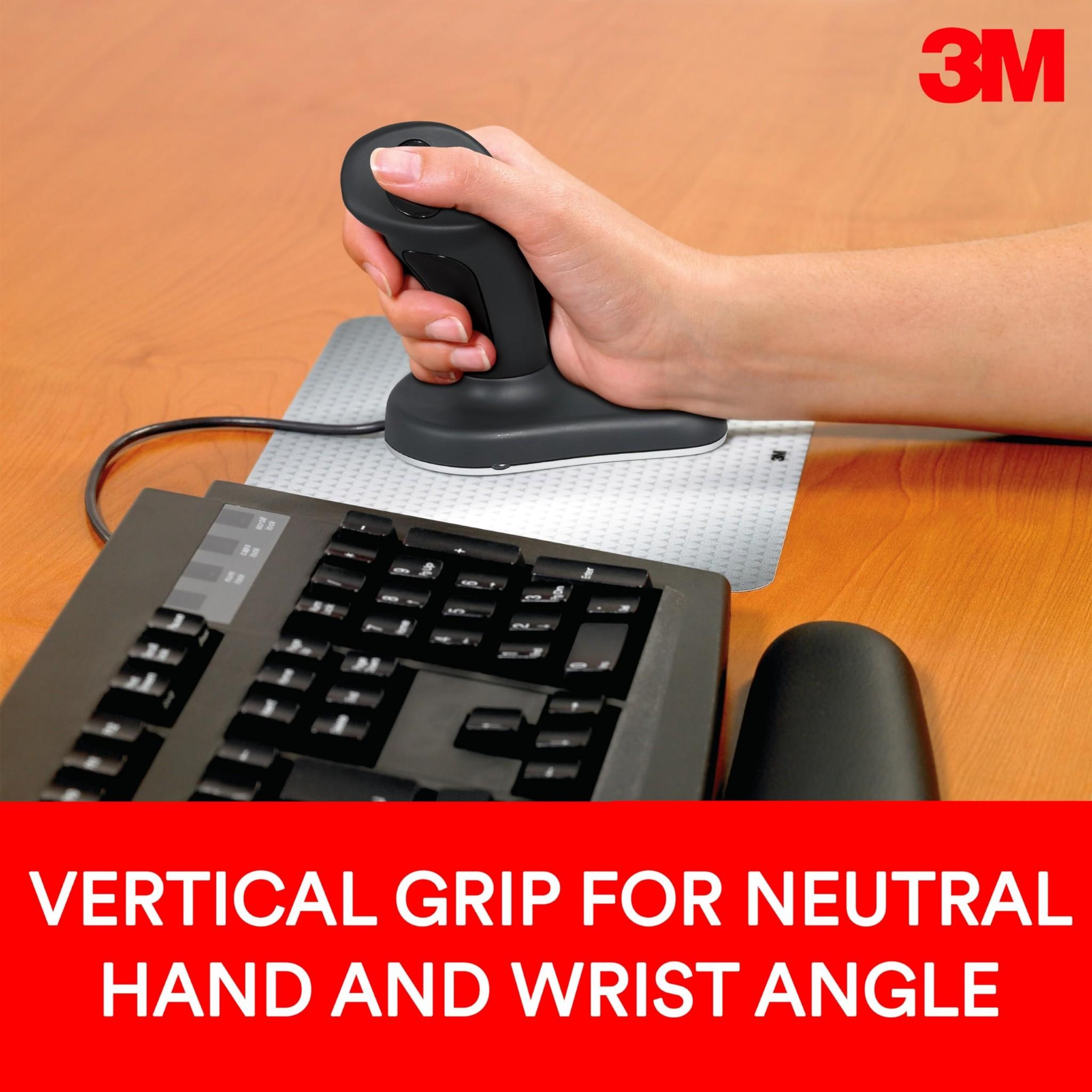
greg_harvey@tooting.ch@ianturton @mcc 3M vertical mouse here, I click with my thumb.
1
0
0

Nicola D'Agostino
ennedia@mastodon.social@mcc in the past I was developing a CTS (I realized what I had when I opening the fridge door started to cause me pain) and, among other things, I forced myself to alternate between using my right and (clumsily) my left hand on the trackpad and an external mouse.
0
0
0

Daniel Correia
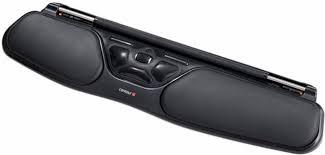
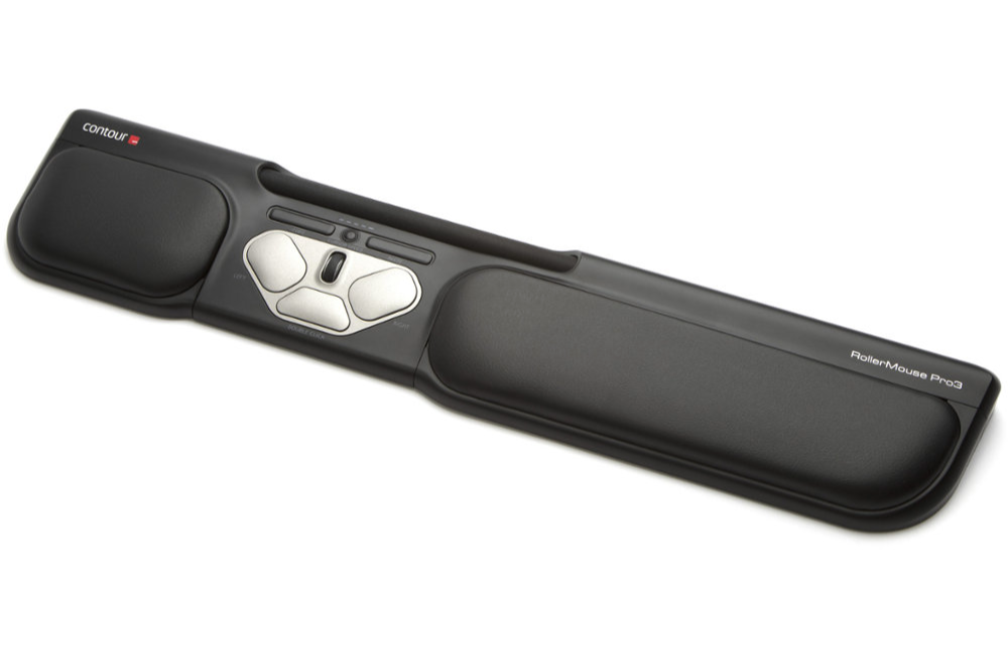
0xdbfb7@social.treehouse.systems@mcc Are you familiar with the Rollermouse? you click with your thumb, or will all your fingers together.
 1
0
0
1
0
0
Graham Sutherland / Polynomial
gsuberland@chaos.social@mcc I think when they first released it there was a bunch of super irritating junk in there that was the impetus for everyone avoiding it. maybe it had mandatory login or something? but whatever it was, I haven't run into it, so I guess they removed it.
1
0
0

grapefrukt
grapefrukt@mastodon.social@mcc I have a friend with similar problems who uses a rollermouse, (one of those rolly things that go below your keyboard)
 0
0
0
0
0
0
@gsuberland it seems to be running an entire electron app in there, seemingly to some degree loaded even when in the task tray, and last i checked it had an "ai chatbot"
1
0
0
Daniel Correia
0xdbfb7@social.treehouse.systems@mcc I've been using a used one from eBay as my daily driver outside of work and I really like it.
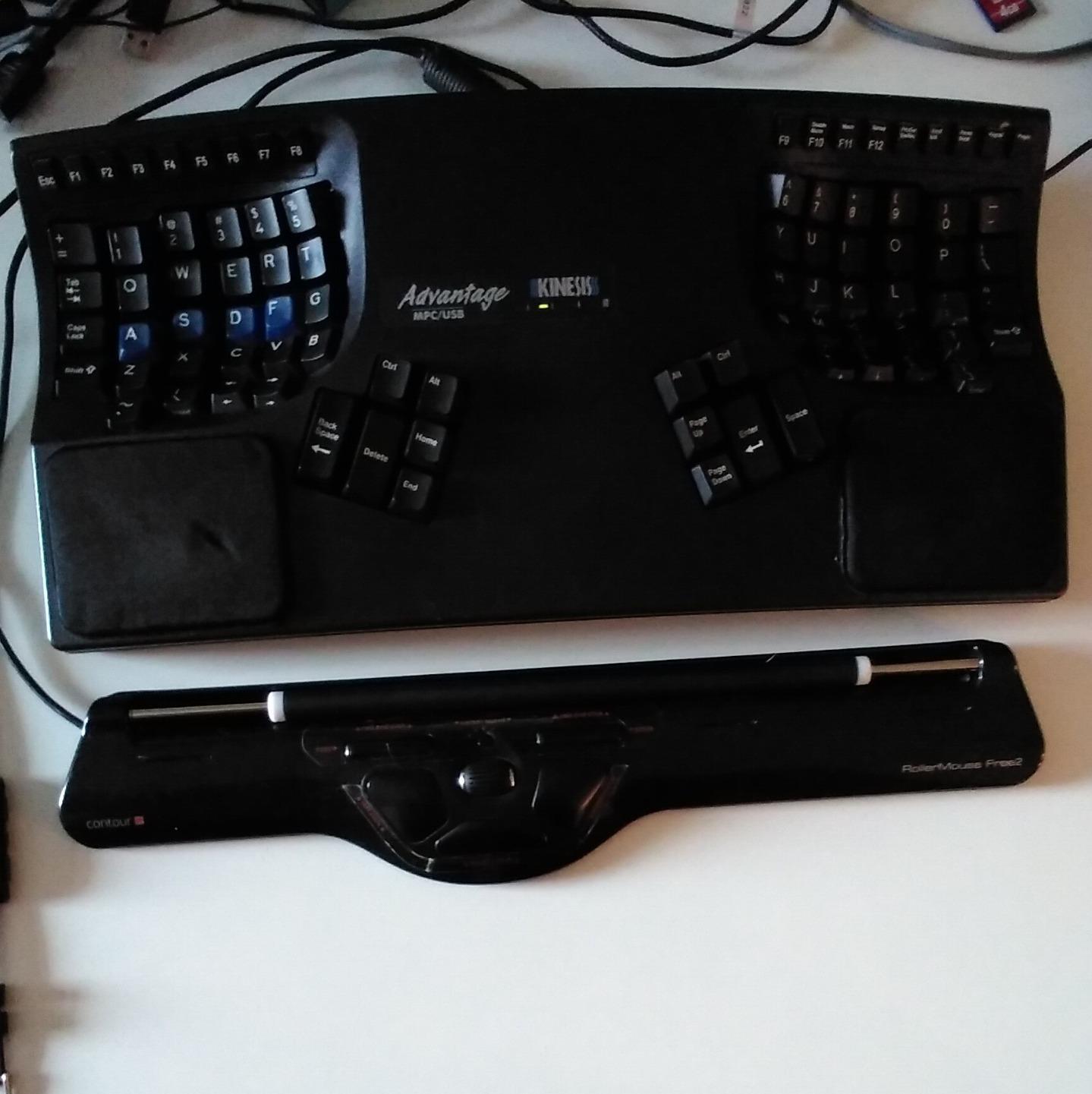 0
0
0
0
0
0

Thad
Thad@brontosin.space@mcc I used an Apple Magic Touchpad 2 for a couple of years when I developed RSI in my index finger. I didn't click with my thumb but I used my middle and ring fingers.
Until I developed RSI in those, and now I'm back to a standard mouse. IME that's how it goes: there's no one fix, you'll have to rotate to something else eventually.
0
0
0

Jernej Simončič �
jernej__s@infosec.exchange@gsuberland @mcc I'm currently on MX Master 3S, but I only installed Options long enough to set the wheel to switch to glide mode automatically, then I removed it, because everything else it does gets in my way. That said, I never found any use for the thumb button, I use an AutoHotKey script to reconfigure the back/forward buttons, and I edited the Registry to flip the horizontal wheel direction.
1
0
0

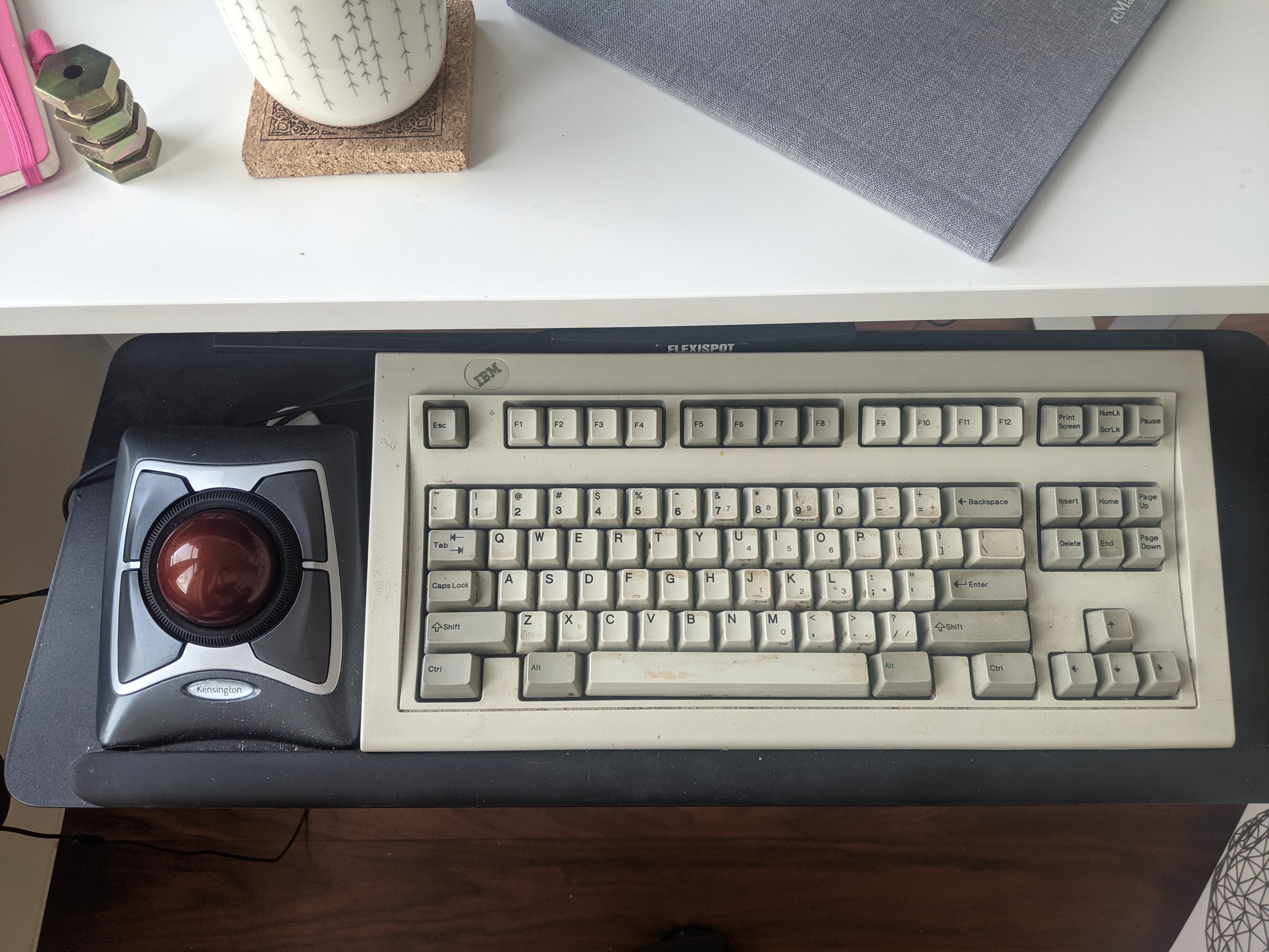
@th hm interesting but i can get typing rsi on both arms so i imagine mouse rsi could also happen on the left
1
0
0


@IngaLovinde @syn if i could press buttons i wouldn't be in this situation. and the way you have to contort your hand to simultaneously press the middle button and also use the trackpad is *really* awkward. but yes, that's the behavior i want, i just want to make it all-the-time as opposed to when-middle-button-down. i am willing to fuck with the kernel source if it gets me what i want.
1
0
0
Inga stands with 🇺🇦 🇵🇸
IngaLovinde@embracing.space@mcc I'm using a regular IBM/Lenovo keyboard with trackpoint, with left button right under my thumb (when my index finger is on trackpoint)
1
0
0
@IngaLovinde maybe i should start using a trackpad on my desktop as well. dunno.
1
0
0

Pseudonymous 
VictimOfSimony@infosec.exchange
🤔 Just a thought:
https://duckduckgo.com/?q=eye%20tracking&iar=shopping&ko=-1
0
2
0

effika
effika@mastodon.social@mcc I also have RSI problems and have kept my original IntelliMouse Optical because I figured out I can hold it at an angle (allowing more fingers to use the scroll wheel to spread out the load) and hit the long left side button with my thumb (which I can map to left click).
0
0
0
Inga stands with 🇺🇦 🇵🇸
IngaLovinde@embracing.space@mcc @syn I don't understand; trackpad? As in touchpad?
When I scroll, it's usually with right thumb on middle button and index finger on trackpoint fwiw.
But yeah I think on windows there was some "sticky trackpoint" feature that showed one to just switch between navigation mouse and scrolling mode with a single click of middle button (i.e. to have middle button work more like caps lock rather than more like shift). But maybe I misremember things...
1
0
0
0
0
0
Graham Sutherland / Polynomial
gsuberland@chaos.social@jernej__s @mcc I used to use the thumb button as a gesture button for switching virtual desktops. but I had two warranty replacements on my first 2S for the exact same mechanical failure where the thumb button gets stuck down, then another warranty replacement on the second one I bought. and I was only pressing it less than once a day on average, so I'd estimate the lifetime to only be around 500 presses. really not fit for purpose. I bought the 4 specifically 'cos they fixed that issue.
1
0
0
@IngaLovinde @syn sorry uhhh apple intermittently brands their touchpads as "trackpad"s and it messed up my vocabulary
1
0
0
Inga stands with 🇺🇦 🇵🇸
IngaLovinde@embracing.space@mcc my SK-8855 keyboard is wonderful, it's a pity that they don't make them anymore
0
0
0
Jernej Simončič �
jernej__s@infosec.exchange@gsuberland @mcc I wore out the rubber on my 2S without using the thumb button (also, IIRC the thumb button on whatever mouse I had before 2S got stuck without me using it at all).
1
0
0
Inga stands with 🇺🇦 🇵🇸
IngaLovinde@embracing.space@mcc @syn I'm just not sure whether you're talking about touchpad (the large usually recessed capacitive area under the keyboard, the one that users are supposed to caress gently), or trackpoint (the small prominent sexual organ between G/H/B keys, the one that users are supposed to apply sideways pressure to, with three keys right under the keyboard and above the touchpad if it's present)?
Because I was talking about the latter.
0
0
0
Graham Sutherland / Polynomial
gsuberland@chaos.social@mcc just looked. it has an "AI prompt builder" thing, which seems to be an interface to ChatGPT, but it's behind a toggle in the settings and it's switched off for me (idk if I switched it off, or if that was default).
the frontend is Electron. the background services aren't.
2
0
0

gnaddrig
gnaddrig@mastodon.social@mcc
Once I "inherited" a device called "roller mouse" from a colleague in the office. You have a wrist rest and a bar to steer the mouse pointer with your thumb, the ball of the thumb or - what is the part between the pinkie and the wrist called? And you can click with that bar as well, and it had a left and right mouse button to be used with the thumb, and a doubleclick button, too. I loved it. Unfortunately it is rather pricey.
0
0
0
Jernej Simončič �
jernej__s@infosec.exchange@mcc Now that I've been thinking about it, would reconfiguring one (or both) of the back/forward buttons to act as left click work? On Windows at least this should be easy with AutoHotKey.
0
2
0
@gsuberland I launch the frontend. I do something. I close the frontend. Does the frontend remain in virtual memory?
a piece of software with "well, it has an interface to chatgpt, but you can switch it off" is a program i uninstall from my computer. i have switched away from SwiftKey and Microsoft Windows over this and I have greater need for either of those programs than I do for Logi Options +.
1
0
0



@mcc fwiw, I had similar issues and found switching to a finger-trackball with thumb buttons helped significantly, as it was definitely the clicky action that was ruining my fingers. I did use a left-hand mouse for a while before the trackball, which might have left my right hand heal a bit.
As far as scroll goes, I use a kensington orbit trackball with a “scroll ring” at home. It isn’t so great that I wanted one for work as well, but being able to flick the wheel with my middle finger and have it spin for a bit is quite satisfying and useful for long documents.
0
0
0
Graham Sutherland / Polynomial
gsuberland@chaos.social@mcc but yeah, obviously would vastly prefer it if the silly prompt builder thing would not exist at all.
0
0
0

Greg Harvey 🌍
greg_harvey@tooting.ch@neil @ianturton @mcc I've had one for over 20 years. Dow Jones bought me my first one and said I could keep it when I left because nobody else wanted it. 😂 I think I'm on my third now. My wife has one too.
1
0
0
Neil Brown
neil@mastodon.neilzone.co.uk@greg_harvey @ianturton @mcc I will have to see if they make a left handed one. Thank you!
0
0
0
Graham Sutherland / Polynomial
gsuberland@chaos.social@mcc the frontend process closes.
but yeah, fair on the second part. (fwiw the chatgpt prompt thing is a separate executable that doesn't get launched at all for me)
1
0
0
ROTOPE~1 
rotopenguin@mastodon.social
@jernej__s @gsuberland @mcc I mostly forget that the button is even there, probably pressed it 10 times total (17% service life). After 6 years my 2S's mousewheel started getting flaky, at which point I didn't mind getting another one for $50.
The stupid thing is that I could open it up and clean out the wheel sensor, but that means removing/destroying the glides. Replacing them would be too expensive to be worth it.
0
0
0


Ted Mielczarek
tedmielczarek@mastodon.social@mcc I have a Logitech M585 (which I think was pretty cheap) which has two buttons on the thumb side: https://www.logitech.com/en-us/eol/mice-eol/m585-wireless-mouse.html
I believe they wind up mapped to back/forward by default.
0
0
0
MAKE (Enby Edition)  🍁
🍁
pawv@tech.lgbt
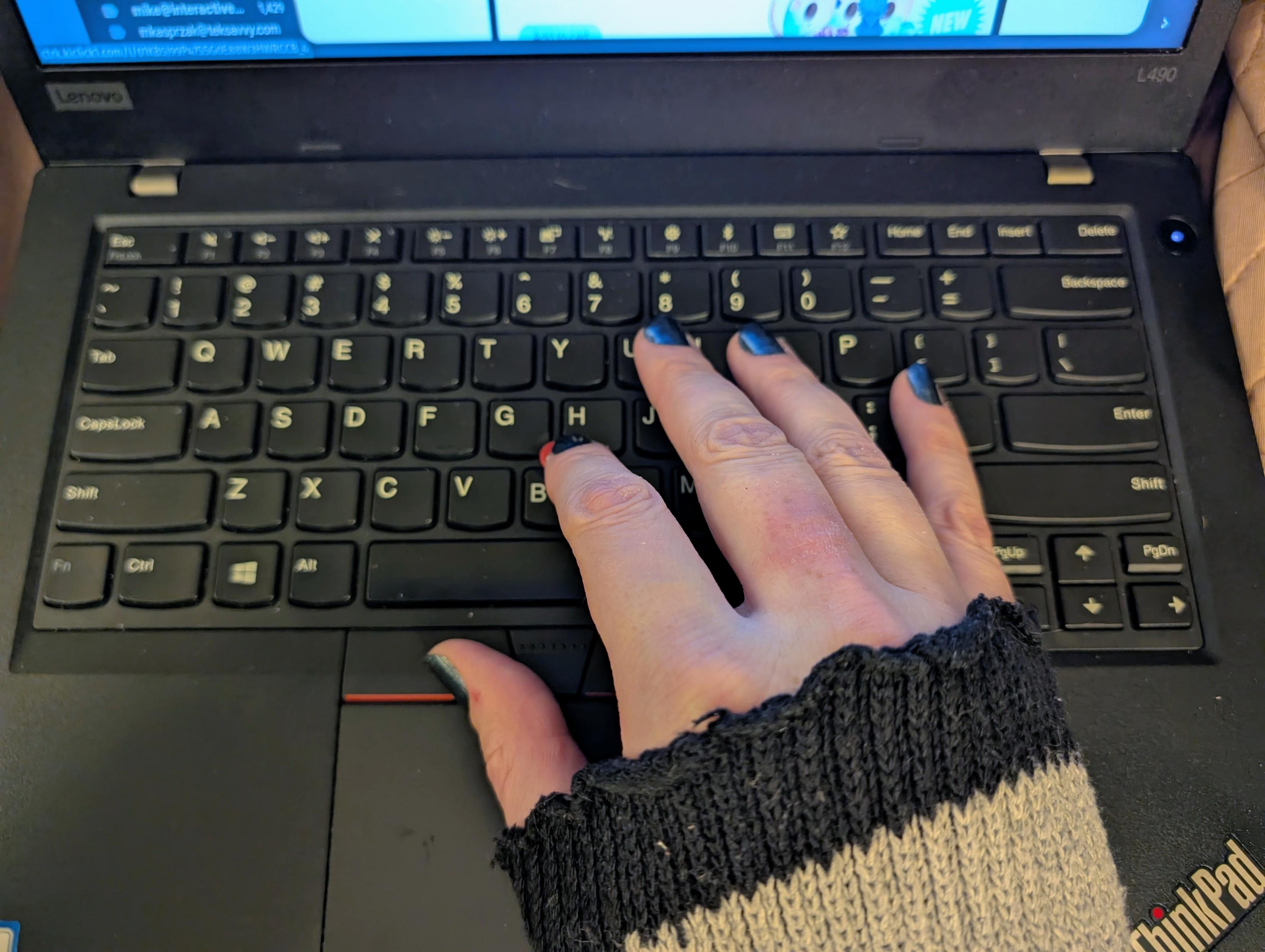
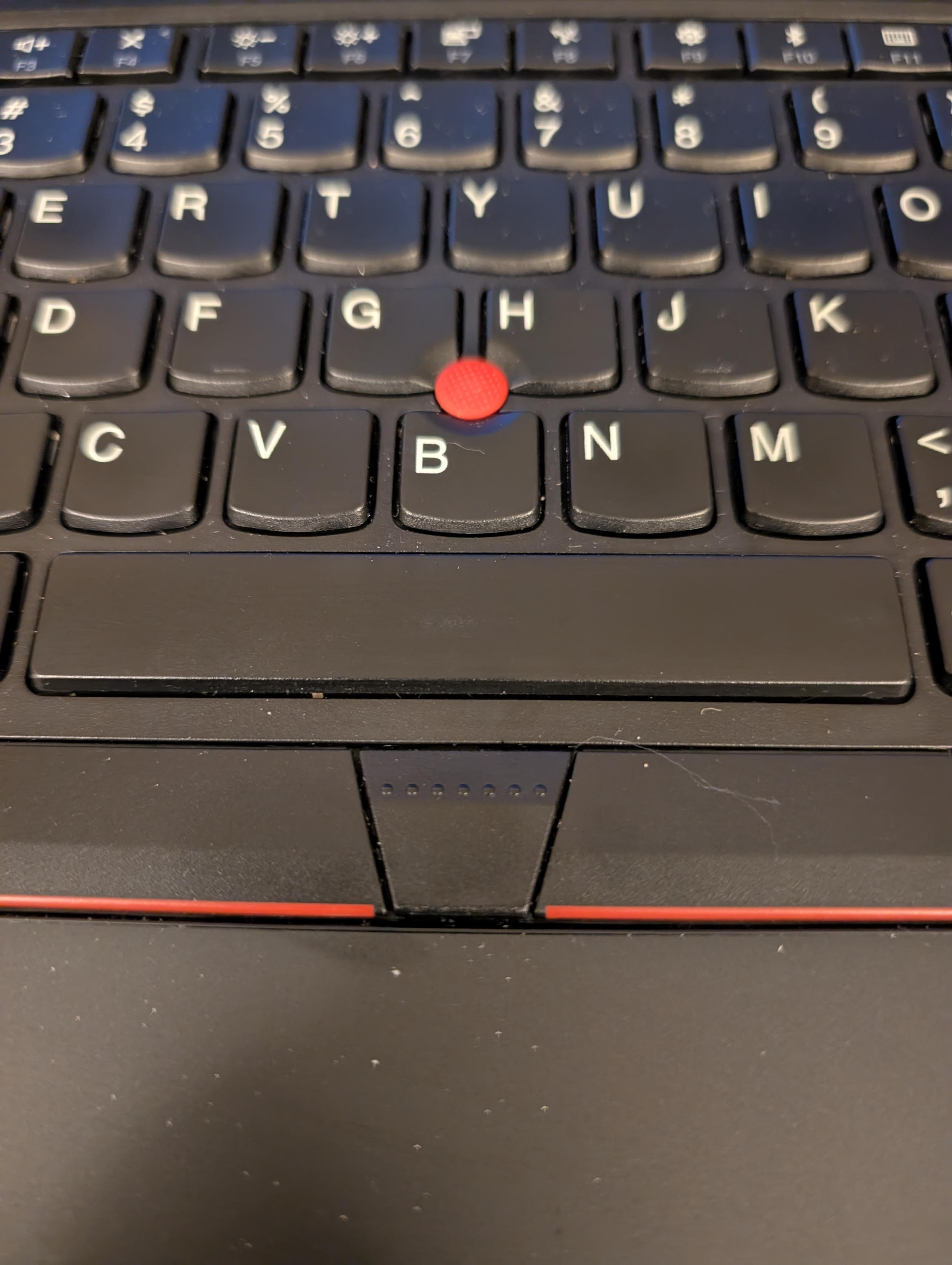
@mcc ☺️ Thank you 😊. Speaking of scrolling, you can actually. The middle button makes the Trackpoint act like a pan/scroll button. Hold it down and push pull the nub (🔴) in the direction you want to move.
 1
0
0
1
0
0

Edward L Platt
elplatt@greatjustice.net@mcc 3M ergonomic mouse is exactly what you want. Only downside is no scroll wheel
2
0
0
Edward L Platt
elplatt@greatjustice.net@mcc oh no, I just checked and they don't make them anymore :(
1
0
0
@pawv i am aware of this hotkey/trick/thing, and i don't do it, because it is unbelievably awkward. i feel that if i am using linux i should be able to configure the os in any way i want. i may experiment this week with libinput+lua
1
0
0
open "hource" software
gutmunchies@dragon.stylei have a portable with a decent multi touch trackpad and i'm kind of a freak so i usually use my left hand on the trackpad to scroll, but i find the flat button so much more comfortable than trying to press down a hard little lump...
now if only gamepad manufacturers would get the memo and stop making their buttons so small and steeply arched. ouch
0
0
0

Stéphane Charette 🇨🇦
charette@mstdn.ca@mcc Have you looked at Wacom tablets to replace your mouse?
0
1
0
MAKE (Enby Edition) 🍁
pawv@tech.lgbt
@mcc It's not actually a hotkey, but how TrackPoint works out-of-the-box across OS's. The middle button on older ThinkPads was more obviously different (it would depress several mm before triggering). This current iteration though is just a funny shaped button.
1
0
0
MAKE (Enby Edition) 🍁
pawv@tech.lgbt
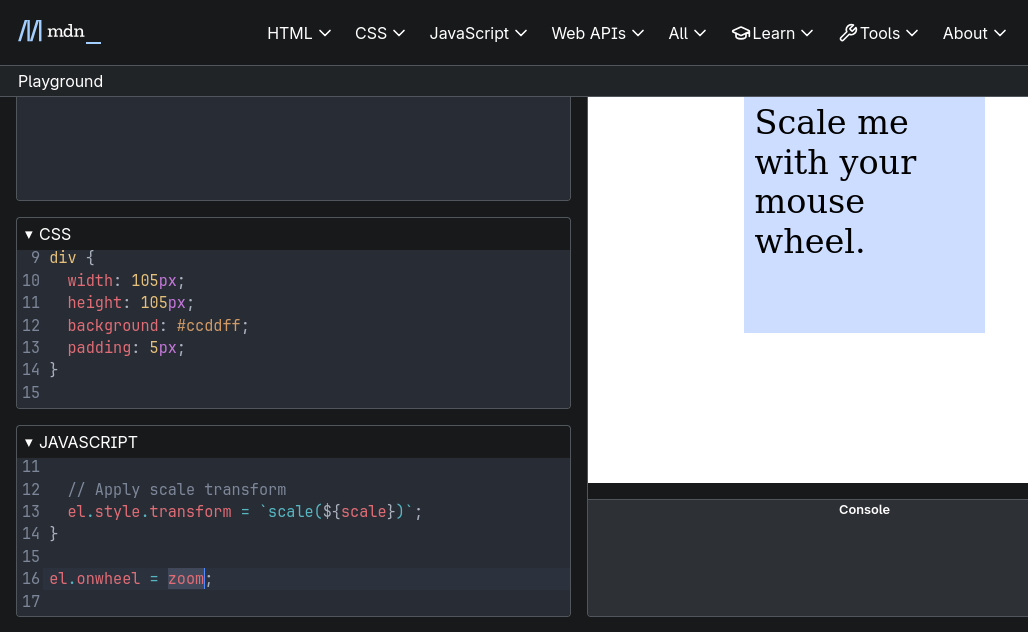
@mcc Applications see it as scroll events, and I didn't do anything to enable this.
 1
0
0
1
0
0
@pawv yes but. You do have to depress the middle button. I'm trying to avoid that. My hand would have to bend into a weird shape and my chief goal here is to not make my hand muscles do anything that might 8 to 15 hours later turn out to have been weird
1
0
0

Nicolas Ward 
ultranurd@tacobelllabs.net
@mcc I can't use thumb trackballs at all for maybe a similar reason, but I do like the ones where you use the ball with other fingers like my https://elecomusa.com/products/huge-trackball-mouse-wired?pr_prod_strat=e5_desc&pr_rec_id=ab03c5d68&pr_rec_pid=15293060513865&pr_ref_pid=15293059465289&pr_seq=uniform
0
0
0

rlonstein
rlonstein@social.stonetools.tech@mcc Are the "vertical" mice like https://www.contourdesign.com/product/contour-unimouse https://www.amazon.com/Lenovo-MICE-BO-V-MSE/dp/B09CH95JMK/ or https://www.amazon.com/dp/B00BIFNTMC an option? I tried the Anker for a few days but didn't like it. I prefer trackballs (Kensington Expert wired and Elecom EX-G Pro) which isn't what you're asking.
1
0
0

Ollie Boermans
ollicle@mastodon.social@mcc my wife has this issue some years back. I plugged in a second mouse (this is pre-Bluetooth) and put it on the floor, so she could click with her foot. Worked a treat!
0
0
0
MAKE (Enby Edition) 🍁
pawv@tech.lgbt
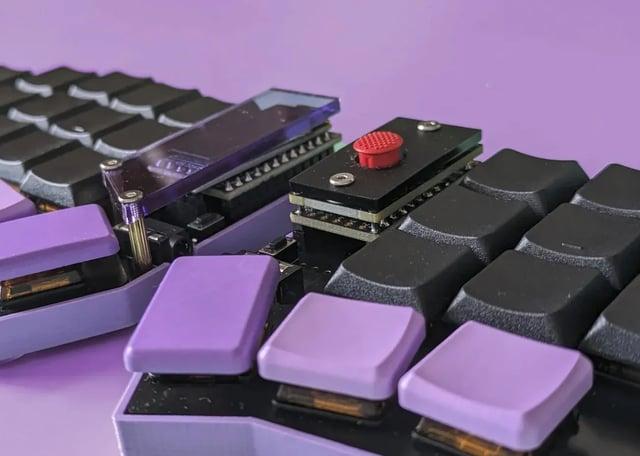
@mcc Ah okay. I gather the gesture wouldn't be so bad if the placement of the toggle didn't require a contortion.
This sounds like custom ergonomic keyboard territory.
 0
0
0
0
0
0

Pooyan Khanjankhani
thekhanj@mastodon.social@mcc Cool debate you started :) love seeing people's setups. Anyway, as a Thinkpad guy who had the same issue a couple of years ago, what helped me was exercising and taking a break from computers and work for about 6 months. It actually turned out to be a blessing.
1
0
0
Pooyan Khanjankhani
thekhanj@mastodon.social@mcc Oh and BTW, you might wanna consider using xmouseless as well...
1
0
0
Pooyan Khanjankhani
thekhanj@mastodon.social@mcc I guess not, I'm not sure, but the code is small, you should be able to easily rewrite it for Wayland, it would be fun too :)
1
0
0
Pooyan Khanjankhani
thekhanj@mastodon.social@mcc Oh apparently this one does
https://github.com/jbensmann/mouseless
0
0
0

unnick@booping.synth.download
unnick@booping.synth.download@mcc the mouse i have (tuf gaming m3) has 2 rebindable buttons on the left side (but one of them will probably be awkward to click), maybe that could work?
0
1
0

TommyTorty10
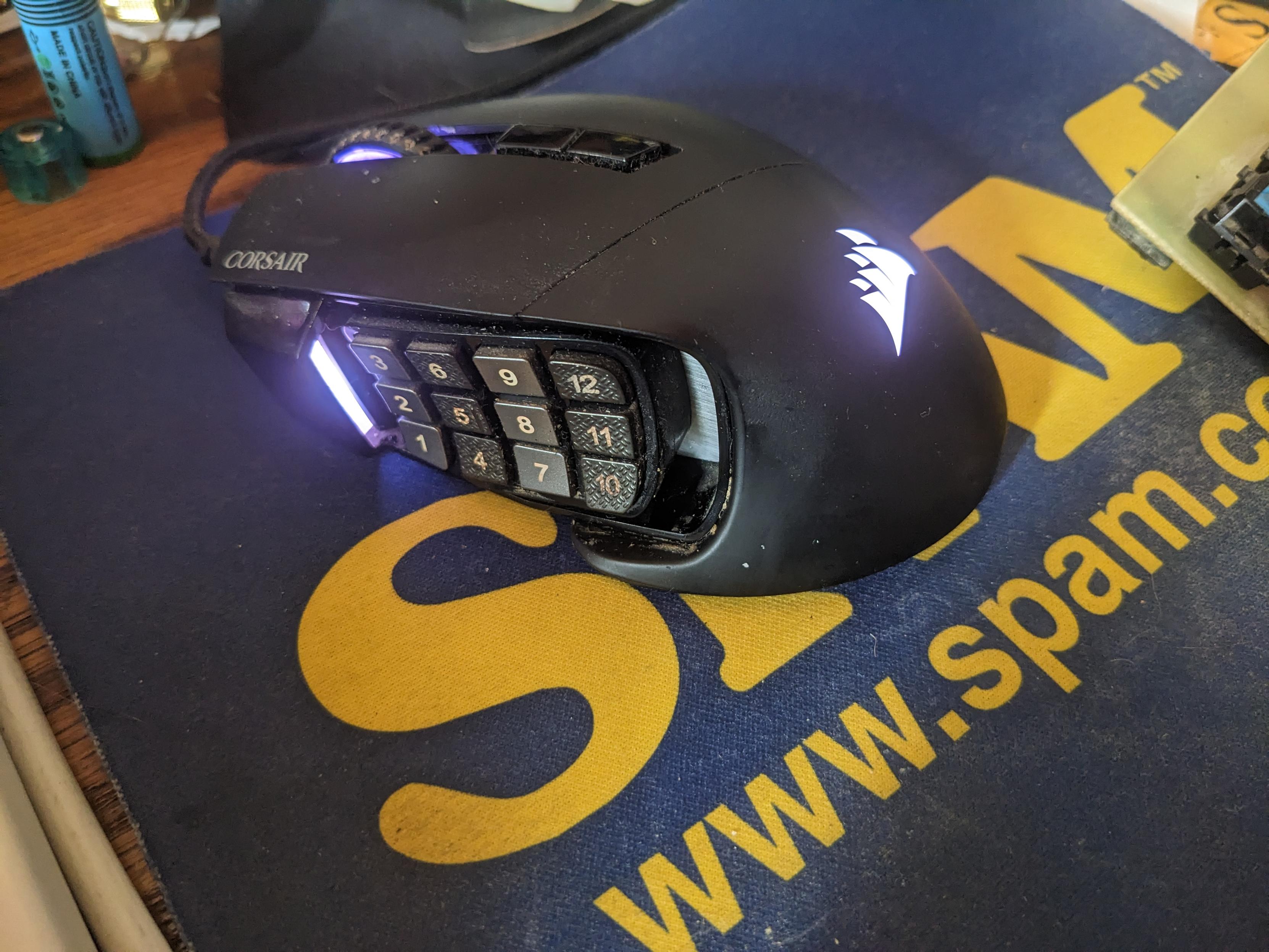
TommyTorty10@infosec.exchange@mcc ive been using a Corsair Scimitar for years, and it's held up very well. You might say, as I once did, that that's really too many buttons, but Ive since discovered they're the best thing for modded Minecraft, especially changing jetpack modes while flying. Unfortunately, it's just as difficult to clean as it looks. There's a FOSS project called ckb-next which lets me set key bindings, colors, and dpi on Linux Mint. I haven't tried it on other distros.
 0
2
0
0
2
0